Recently, we have been receiving a lot of questions about the playback queue, especially from users of mobile version of the player. In this article, we will explore what a “playback queue” is and how it differs in implementation between old-school (playlist-based) and modern (library-based) audio players.
In modern audio players
Modern audio players are built around a Music Library — an indexed database of audio files, emphasizing the structuring and cataloging of audio files. For the user, the Music Library is presented in form of hierarchical structures with different filters: by artists, by albums, by tracks, by genres, by years, etc.
In such players, the playback queue is acts as “playing playlist”, and by modifying it, you can change playback order of the files. Playlists, on the other hand, typically refer to either previously saved playback queue options or smart playlists that are based on a database selection (for example, “all tracks from 1967 in the Rock genre”).
In old-school audio players
Old-school players audio players — are based on playlists. Playlists determine the order in which tracks are played.
In such players, the playback queue is a temporary list of tracks that will be played in the specified order, without the need to modify the original playlist or create a new one. Each track can be added to the queue once or multiple times. As tracks are played, they are automatically removed from the queue list.
This queue can be used to create complex navigation scenarios through playlist or between few playlists.
For example:
We want to listen to last two chapters of the book and switch to the music playlist. Adding the second chapter to the queue (do not add the currently playing chapter, otherwise it will play twice):
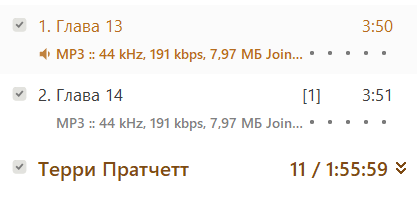
next, add one of the tracks from the music playlist:
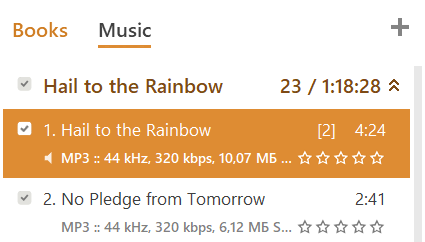
After the audiobook ends, the player will switch to the music playlist and continue playing it.