We are pleased to present you with the new version of the mobile AIMP for Android OS. Let’s take a closer look at the new features.
READ MOREAIMP for Android v4.50
2 Replies
We are pleased to present you with the new version of the mobile AIMP for Android OS. Let’s take a closer look at the new features.
READ MOREWindows on ARM (formerly Windows RT) is a version of Microsoft’s operating system that is optimized for devices with ARM-based processors. Devices based on this architecture have gained attention due to their energy efficiency. The ARM architecture offers long battery life while providing good performance.
Since Windows 11, the OS can run both native ARM-apps and classic x64-apps through a special emulation layer, similar to the one used to run 32-bit apps in a 64-bit Windows environment.
Despite the fairly advanced emulation layer, the performance of some x64 apps, including AIMP, leaves much to be desired. In 2021, Windows 11 introduced a new binary application interface (ABI) – ARM64EC (“Emulation Compatible”), it allows developers to create “mixed” applications: applications that combine native code for ARM64 and emulated x64 code within a single process.
In AIMP6 beta 3, we have made a separate build of the application for ARM64EC. According to our measurements, the performance has increased by an average of 20%. This build is fully compatible with plugins for the 64-bit version of the player for regular Windows. You can download it here.

You can read about AIMP6 and all its innovations in this article. Here we will examine in detail the differences in the player’s capabilities on different operating systems.
READ MOREv4.30 is the next stop in our roadmap. Let’s look at the changes made in this version.
READ MOREAIMP6 will be the first truly cross-platform release. In fact, the development (porting) has started 1.5 years ago, in January 2024.
By the time v5.40 was released, the general-purpose runtime libraries such as AIMP.Runtime and AIMP.Shared had been ported, on which this version was based. In terms of v6, we’ve ported all left app code and all standard plugins.
MOREKey feature of this release is support for track part repeating (aka A-B repeat).
READ MOREWhile new major version is in the prototyping stage, we are pleasured to present you a new minor update for AIMP5 – v5.40.
Continue readingToday AIMP celebrates it 17th birthday. At this beautiful day, we are happy to present you a new version of AIMP for PC – v5.30. What’s new in this version?
Additionally, we have extended sound effects support:
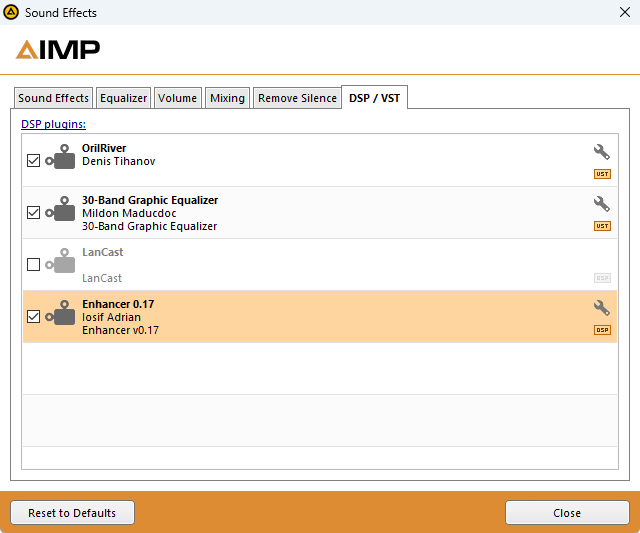
DSP
Since this release, you can use few DSP plugins at same time. You can exclude the plugin from processing chain by un-checking it mark. Sound processing order is equal to order of plugins in the list. Use drag-n-drop to re-order plugins in the list.
VST
Yes, we’ve added support for VST plugins (our host implements VST API v2.4). VST plugins can be installed as well as another plugins*.
* 64-bit VST-plugins will work only on 64-bit version of app.
Performance
We’ve improved playlists loading speed:
Batch operations
In the “Managing playlists” dialog you will find few new commands that applies to all selected playlists:
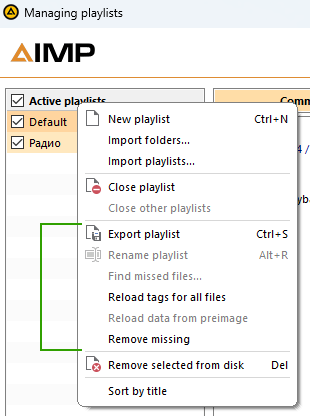
Removing
We’ve added the “physically remove files with it folders” command that will be useful when getting acquainted with new albums or artists. The command allows you to delete entire album in just a couple of clicks if you don’t like it.
Personal settings
Personal settings block has been extended by individual tempo control:
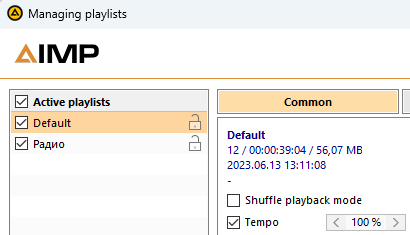
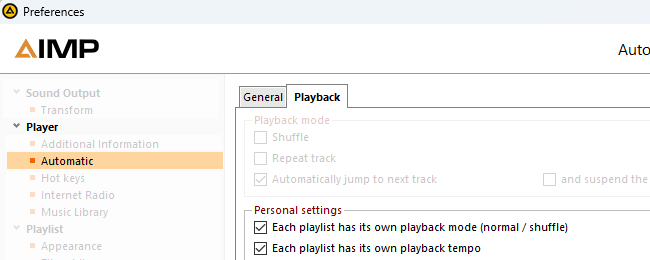
This setting will be useful for audiobook playback, you no longer need to adjust tempo by yourself when switching between playlists with music and audiobooks. Dont forget to switch on the option in app settings:
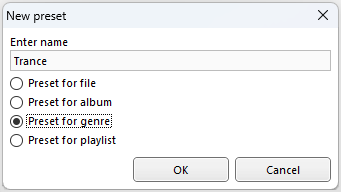
Not all users knew that if you put a file/album name as equalizer preset name, it will be catched up automatically when you play that file/album. That’s why in v5.30 we decided to rework the presets creation dialog, making the naming rules more transparent:
Notifications
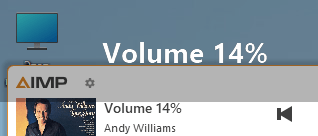
When you change volume or rate the playing track, a notification about this action displays in app’s main window. Now, notifications can also be displayed in the Information Bar:
Macros
List of available macros for the Information Bar has been extended by new one – %Playlist. The macro will display a name of playing playlist, if the playlist has not been removed or unloaded.
Card View
Now, if you change card position, the card will remember new position and will use it for next shows.
New fields
In this release, we’ve added support for the “key” tag field. Now you can not only view data from the field, but also modify it.
Undo
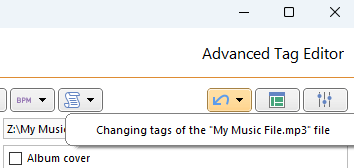
Advanced Tag Editor now has an “undo” feature:
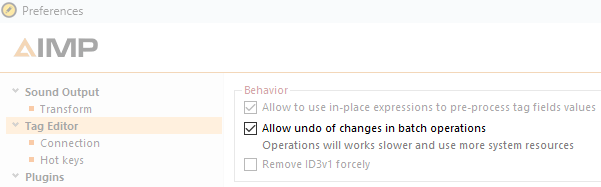
The Undo requires more memory and cpu time to operate, because tag editor forced to make a backup of modifying data. So, if performance is critical for you, just disable undo feature in app settings (its switched on by default):
Errors
Now, if an error occurs when saving the changes, the editor provides detailed information about what exactly happened. However, we hope that this feature will not be used by you.
Performance improvements
Than larger the number of records in your music library, the more noticeable the effect of the changes.
Templates
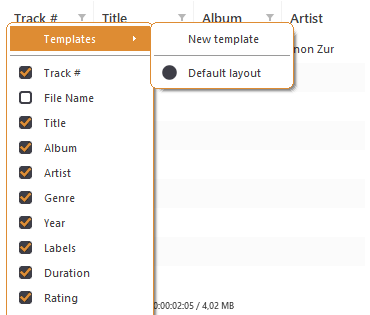
Table view now provides an ability to create a templates that includes colum’s visibility, order and sorting settings:
Grouping tree provides new “Grouping Templates” dialog that allows you to manage already created templates:
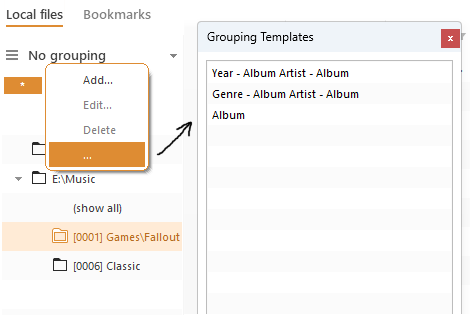
Note that the dialog displays only user-created templates (templates that can be modified), built-in templates will not be listed here.
Also
Made easier to disable unused music library data sources:
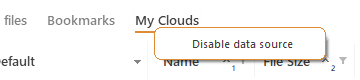
The action will find plugin that implements selected data source, unload it and ask user to restart the app.
Settings
We’ve added an ability to disable volume control via mouse whell over interactive controls.
We’ve introduced the “save album art to file folder” option as well as it implemented for lyrics.
Time codes
Default skin in “modern” view now highlights time codes for the “comment” tag field:
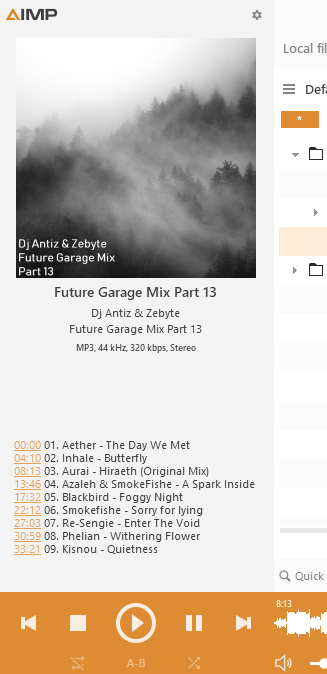
Click on time code will seek playback to this time.
Beta-version is already available for download on our website.
On March 15, 2013, we have published first mobile version of AIMP. 10 years have passed since that moment! In that time we’ve come a long way – from the simplest version with just a few buttons and playlist, to a version that supports multi-playlists, NAS, cloud storages and much more. Yes, perhaps the development was not as fast as many people wanted, but Android also evolved: the requirements for applications changed, restrictions were introduced, new versions of firmware based on this OS appeared with a different behavior of basic functions. Much of the time was simply spent on adapting the application to the new things.
Today we glad to present you AIMP4, the next big update for the mobile version of player for Android OS.
Continue readingBetter code-name for v5.10 is “features forgotten by time”. The release includes quite old and not so popular features, but which users ask for every now and then. Most of them are cosmetic or improves app usability.
Continue readingIn v3.30, as it was planned, we have focused on app usability in Car PC. We haven’t forgotten about Android Audio, nor custom Car PCs based on Android OS.
Continue readingToday we have started public beta-testing of AIMP for Windows v5.03. As we have announced, this release brought native Windows 64-bit support. Since now, player will releases in two editions: 32-bit and 64-bit.
Continue readingFor the 15th birthday of the AIMP project, we have prepared small “gift” for our users: the Audio Cutter app. It is a new tool that extends features of mobile version of AIMP. The tool is designed to create and manage ringtones.
Continue readingHere is a time to real announce the new mobile AIMP version.
Continue reading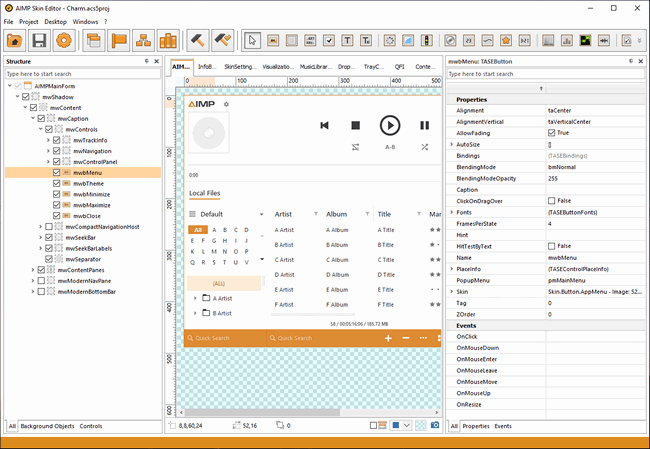
The skin editor’s fifth version boasts an upgraded UI design, supports the new Skin Engine, and provides many new features that facilitate working with skins.
Continue reading